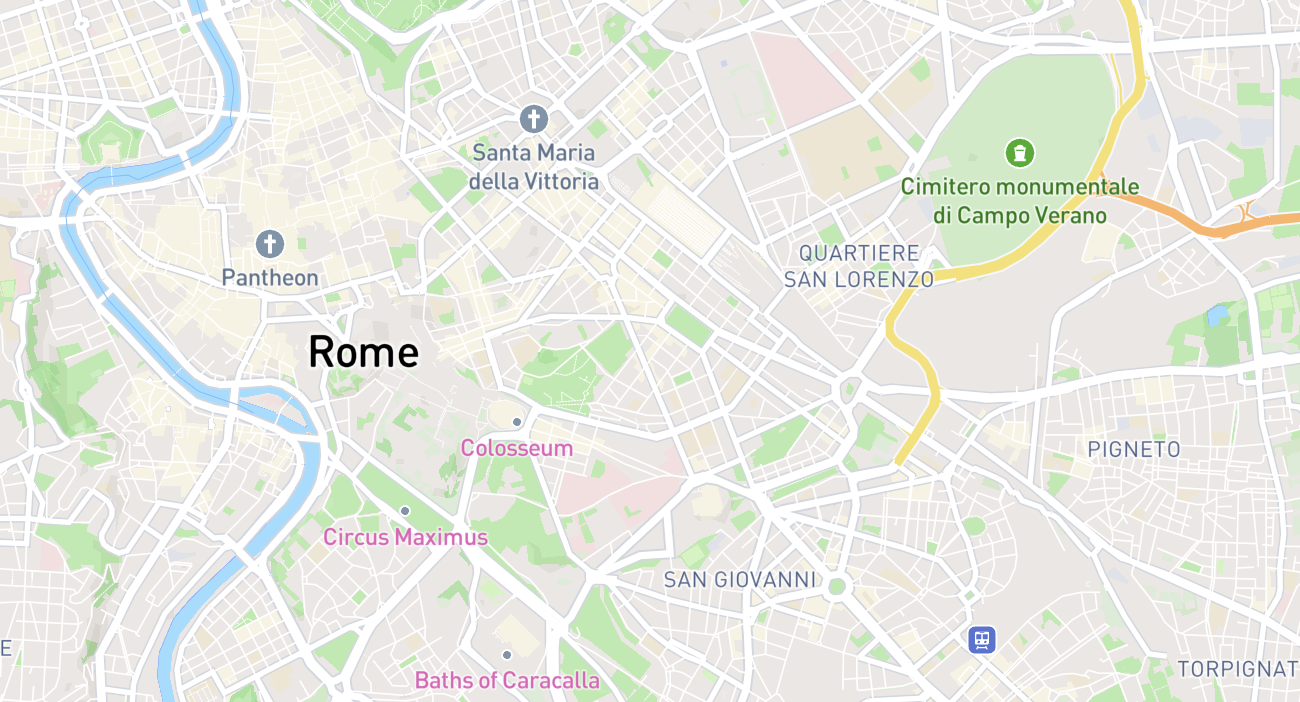
Top Features to Maximize Your City Exploration Experience
Exploring a new city is one of life’s great pleasures. But there’s a difference between wandering aimlessly and exploring intelligently. The right tools help you see more, rest better, and discover hidden gems. Here are the features — in AllInMap and beyond — that will level up your city exploration game.
1. Category Filtering: See Only What You Need
When you’re exploring a city, your needs change throughout the day. In the morning, you might want to find an outdoor gym for a workout. By midday, you’re looking for benches and drinking fountains. In the evening, you want panoramic places for sunset.
AllInMap’s category filter lets you toggle each of the 10 amenity types on or off:
- Benches — Rest spots
- Toilets — Public restrooms
- Fountains — Drinking water
- Bins — Trash disposal
- Panoramic Places — Scenic viewpoints
- Skateparks — Skate spots
- Fitness Equipment — Outdoor gyms
- Basketball Courts — Public courts
- Soccer Fields — Football pitches
- ATMs — Cash machines
Switch to only showing what matters right now, and the map becomes instantly more readable.
2. Rating Filters: Quality Over Quantity
Not every amenity is worth a detour. AllInMap lets you set a minimum star rating to only show higher-quality spots. This is especially useful for:
- Toilets — You really want to know the difference between a 2-star and a 4-star public restroom
- Benches — A 5-star bench usually means comfortable, shaded, and scenic
- Fountains — Higher-rated fountains are more likely to be functional and clean
Set your minimum to 3 stars and trust the community’s judgment.
3. Map Styles: Standard and Satellite
AllInMap uses Mapbox as its map provider, offering two viewing modes:
- Standard — Clean, readable street map ideal for navigation
- Satellite — Aerial imagery that shows terrain, green spaces, and building shapes
The satellite view is particularly useful for:
- Identifying parks and green spaces to explore
- Understanding the terrain before a hillside walk
- Spotting open areas where benches or fitness equipment might be
You can also enable 3D buildings for an immersive view of urban architecture.
4. Public Maps: Crowdsourced City Guides
One of AllInMap’s most powerful features is the ability to browse public maps created by other users. These are custom maps that users have chosen to share with the community.
Think of them as crowdsourced city guides focused on specific themes:
- Local food spots
- Best viewpoints
- Historical landmarks
- Street art locations
- Running routes with water stations
You can search public maps by name or filter by category, and favorite the ones you want quick access to. Some maps even have schedule dates — perfect for tracking seasonal markets, festivals, or limited-time events.
Discovering Nearby Maps
AllInMap can show you public maps that have markers near your current location, helping you discover relevant community content wherever you are.
5. Custom Maps: Build Your Own Guide
Going beyond discovering other people’s maps, you can create your own:
Define Your Pin Types
Each custom map supports multiple marker types, each with:
- A custom name (e.g., “Best Coffee Shops”)
- A custom icon chosen from an extensive icon library
- A custom color for visibility on the map
- Custom properties — structured data fields that appear when adding a pin
Custom Properties for Rich Data
Custom properties are what make AllInMap’s custom maps uniquely powerful. Each pin type can have multiple properties of different types:
- Text — Free-form notes (with optional max length)
- Boolean (True/False) — Simple yes/no flags like “Free Entry” or “Wheelchair Accessible”
- Number — Numeric values with optional min/max/step (e.g., “Price in EUR”)
- Dropdown — Single selection from a list (e.g., “Cuisine: Italian, Japanese, Mexican”)
- Multi-select — Multiple selections from a list
- Radio — Single choice from options
- Checkbox — Multiple toggles
- Date — Date values for time-relevant information
This turns a simple map into a structured, queryable database of places.
6. Offline Maps: Explore Without Data
AllInMap’s offline maps download everything — map tiles, markers, ratings, photos, and details. Combined with GPS (which works without internet), you get a fully functional amenity map with zero data usage.
Pro tip: Download your offline maps over hotel Wi-Fi the night before a big exploration day.
7. Gamification: Turn Exploration into Achievement
AllInMap’s gamification system isn’t just about points — it’s about encouraging meaningful exploration:
Milestones That Guide You
The milestone system encourages you to try different things:
- Add markers across different amenity categories to earn the diversity milestone
- Create custom maps to earn the Map Creator badge
- Build a streak by adding markers on consecutive days
Weekly Competitions
The weekly leaderboard resets every Monday, giving everyone a fresh start. This creates a regular incentive to explore and contribute, even if you’re not at the top of the all-time rankings.
Followers Leaderboard
Compete with people you follow on a dedicated followers leaderboard. This makes the competition personal and social — friendly rivalry with fellow travelers.
8. Social Features: Explore Together
City exploration is better with friends — and AllInMap’s social layer supports that:
- Follow travelers whose taste you trust
- View public profiles to see someone’s maps and contributions
- Share maps via link, QR code, or direct invitation
- Collaborative maps let travel groups build shared resources in real-time
- Push notifications keep you informed about new followers and shared maps
9. Marker Details: Make Informed Decisions
Every marker in AllInMap is more than just a pin on a map. Tapping a marker reveals:
- Star rating with the number of reviews
- Photos from the community
- Description with practical details
- Street address for easy navigation
- Contributor info showing who added it and when
- Favorite button for saving the spot
- Report button for flagging inaccurate data
- Custom properties if it’s part of a custom map
This depth of information helps you make informed decisions about where to go.
10. Notifications: Stay in the Loop
AllInMap’s notification system keeps you informed about:
- New followers — someone started following your profile
- Shared maps — someone shared a custom map with you
- Marker activity — relevant updates about markers you’ve interacted with
- System updates — important app announcements
Notifications include location data when relevant, so you can tap directly to see where the action is on the map.
Putting It All Together
Here’s how a power user might use these features in a single day of exploration:
Before heading out:
- Check public maps for the destination area
- Favorite interesting maps and markers
- Download the offline map
- Enable relevant category filters
During the day:
- Use the map with GPS to find nearby amenities
- Switch categories based on current needs
- Check ratings and photos before making detours
- Save great spots as favorites
At the end of the day:
- Add markers for new amenities discovered
- Rate and photograph spots visited
- Check the leaderboard to see your ranking
- Share your custom map with travel companions
The Bottom Line
City exploration is about more than just hitting the tourist highlights. It’s about feeling comfortable, staying hydrated, finding moments of rest, and discovering unexpected gems. AllInMap’s feature set is designed to support exactly this kind of mindful, thorough exploration.
Use the filters to focus. Use the ratings to choose wisely. Use the offline maps to stay prepared. And use the community to discover what you’d never find on your own.
Happy exploring.